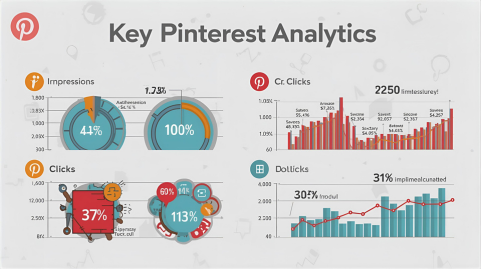
The Honest Guide to Pinterest Analytics — What’s Worth Tracking, What’s Just Noise
Practical Pinterest analytics for eCommerce: learn which metrics matter, track clicks, saves add-to-cart, and conversion rate to optimize pins and increase ROI.
Riazul Raju - Pinterest Expert
7/25/20254 min read
Let’s get one thing straight —
More data doesn’t mean more clarity.
If you’re tracking everything, you’re learning nothing.
Pinterest analytics can make even smart marketers dizzy.
You log in, and bam — impressions, saves, clicks, CTR, engagements, profile visits, outbound CTR… and suddenly you’re in analytics purgatory.
Here’s the truth: 80% of those numbers? Pure noise.
They make you feel productive while distracting you from what actually drives sales.
This post is your shortcut through the chaos — a simple, brutally honest breakdown of what to track, what to ignore, and how to finally understand what Pinterest is trying to tell you.
🎯 Step 1: Stop Worshipping Impressions
I’ll say it — impressions are the biggest ego trap on Pinterest.
Sure, they make your dashboard look exciting.
10,000 impressions! 100,000 impressions!
But… what do those actually mean?
Impressions just tell you how many times your pins appeared on someone’s screen — not that they saw it, engaged with it, or cared.
So unless you’re running awareness-only campaigns, impressions mean squat.
Stop screenshotting them. Stop bragging about them.
Instead, ask yourself:
“Did this pin make someone do something?”
Because action, not attention, pays your bills.
📈 Step 2: Watch the Outbound CTR (The Real Signal of Intent)
If Pinterest were a poker game, Outbound CTR would be your tell.
This is the number that shows how many people left Pinterest to visit your site.
That’s intent. That’s buyer energy.
A solid benchmark? Anything above 1% is healthy.
Below 0.8%? You’re probably showing the wrong message to the wrong people.
Pro tip: before tweaking your targeting, test your creative angle first.
Pinterest users are visual decision-makers — if your ad doesn’t spark curiosity in 3 seconds, they scroll.
So instead of obsessing over your audience settings, ask yourself:
“Would I click this pin?”
If the answer’s “meh”… your users won’t either.
💾 Step 3: Saves > Likes (And Why They’re Secretly Gold)
Pinterest doesn’t run on likes — it runs on saves.
Every save means, “I’m not ready to buy yet… but I will.”
That’s future money.
And it’s one of the strongest predictive signals of conversions later in the funnel.
So when I audit accounts, I don’t just ask “How many clicks?”
I look for a rising saves-to-click ratio.
If saves start climbing, it means your creative has emotional pull.
If they drop — your visuals or messaging lost connection.
Simple rule:
👉 Saves = long-term potential.
👉 Clicks = short-term intent.
Track both, balance both, and your funnel stays healthy.
🧠 Step 4: Use Pinterest Tag Data — Not Guesswork
Quick gut check — do you actually have your Pinterest tag installed properly?
(You’d be shocked how many brands don’t.)
That tiny piece of code is your best friend.
It tracks adds-to-cart, checkouts, and conversions so you can stop guessing what’s working.
Once the tag’s in place, here’s what I watch weekly:
Add-to-cart rate: If this is rising, your traffic quality is improving.
Checkout completion rate: A drop here usually means your product page or checkout flow needs fixing.
ROAS (Return on Ad Spend): Anything below 1.8x means your funnel has a leak.
Stop using Pinterest like a billboard. Start treating it like a sales machine with data feedback built in.
🔍 Step 5: The Only 4 Numbers That Actually Matter
If you’re overwhelmed, simplify your tracking to these four numbers:
Outbound CTR – measures interest.
Saves-to-Clicks Ratio – measures emotional pull.
Add-to-Cart Rate – measures intent.
ROAS – measures profitability.
Everything else?
Vanity.
Don’t measure success by “reach.”
Measure it by movement — how effectively your content moves people from curiosity to conversion.
🧩 Step 6: Read Your Data Like a Story, Not a Spreadsheet
Here’s a little secret — analytics only make sense in context.
A dip in CTR doesn’t always mean your ad failed.
Maybe your creative was too niche.
Maybe your audience just fatigued.
Maybe… it’s actually time to refresh visuals.
Pinterest is an ecosystem — not a set of numbers.
Every metric is just one sentence in a bigger story about your customer journey.
So instead of asking, “Why did my numbers drop?”
Ask, “What changed in my customer’s mind?”
That’s the kind of thinking that separates marketers from strategists.
⚡️ Final Takeaway
Pinterest analytics don’t have to be complicated.
They just have to be interpreted correctly.
If you focus on the few metrics that actually matter — clicks, saves, intent, and revenue — you’ll stop reacting to noise and start predicting results.
Because the truth?
Pinterest isn’t a guessing game.
It’s a pattern — and once you learn to read it, scaling becomes second nature.
✋ Want Me to Help Decode Your Pinterest Data?
If your analytics feel like static, I’ll help you find the signals that actually move profit.
Let’s simplify your Pinterest strategy, cut the noise, and turn your data into decisions.
The Honest Guide to Pinterest Analytics — What’s Worth Tracking, What’s Just Noise